
Business Reporting Software for Enterprise Reporting, Web Reporting, and Report Automation
Create, manage, and deliver professional business reports from SQL databases, REST APIs, cloud applications, and enterprise data sources. Build web reports, automate report generation, and deliver reports across teams, customers, and applications with a modern business reporting software and reporting platform.
No credit card required.
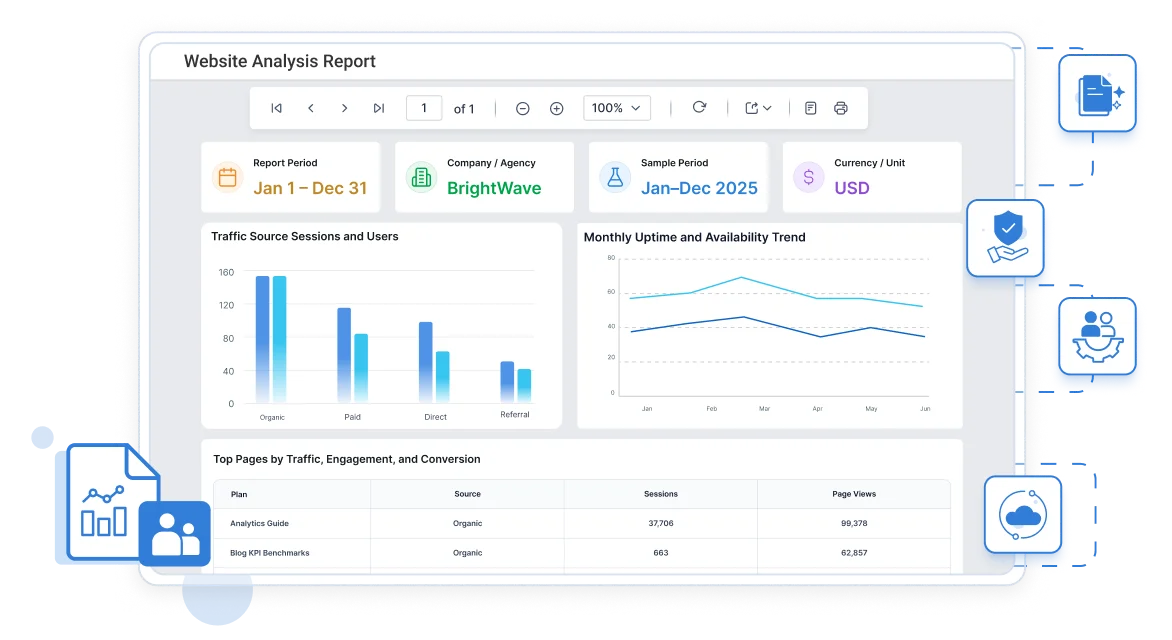
500+ Teams Reporting Daily
Teams shipping reports every day, not just at demo time.
No Sprint Cycles
Business users publish reports themselves, no dev backlog.
99.9% Uptime
Reporting your team can depend on, backed by an infrastructure SLA.
Enterprise-Grade Security
SSO, role-based access, and audit trails built in from day one.








Reporting Shouldn't Cost This Much Time
Legacy reporting stacks force a choice: slow custom development or a rigid, hard-to-brand tool. Neither gets a report to a customer faster.
Developers Stall on Custom Templates
Hand-coding layouts in SSRS or Crystal Reports means every field change goes back through a release cycle. A single statement redesign can eat a sprint.
Business Users Wait on IT
Analysts who just need a new column or filter file a support ticket and wait. The people closest to the data have the least ability to change what they see.
Multi-Tenant Apps Break Isolation
SaaS platforms bolting on single-tenant reporting engines end up building their own security layer just to keep one customer's data out of another's report.
Data Is Spread Across Multiple Systems
Organizations often store critical information across ERP systems, CRM applications, databases, spreadsheets, and cloud services. Consolidating that data into a consistent reporting experience requires significant effort.
Manual Reporting Delays Decision-Making
Many teams still rely on spreadsheets and manually generated reports. This increases reporting cycles, creates version-control issues, and slows business decisions.
Reporting Infrastructure Becomes Expensive
Custom-built reporting systems require ongoing development, maintenance, security reviews, and compliance validation, increasing total cost of ownership.
Built to Remove the Three Biggest Reporting Costs
One engine covers the license fees, the build cycles, and the platform sprawl that legacy reporting tools add up over time.

Lower total cost
A licensed reporting engine replaces months of custom document and dashboard development. Design in a purpose-built tool instead of writing layout code from scratch, and cut the maintenance load with it.

Faster Time to Production
Embed the reporting engine with a few lines of code, then let business users and developers edit the same report definitions side by side. New reports go live in hours, not release cycles, with no rework needed later.

Fits How You Already Build
Standalone or embedded, single-tenant or multi-tenant SaaS: one engine covers document-style output and interactive dashboards, from raw SQL to polished HTML or PDF, without swapping tools as requirements grow.
Everything a Reporting Workflow Needs, in One Platform
One reporting software platform covers the whole workflow, from building the report to delivering it.

Drag-and-Drop Design
Build paginated and interactive reports visually. No script required for common layouts.

Connect Any Data Source
SQL, REST, OData, Excel, and cloud warehouses feed the same report definitions.


How Bold Reports Fits Modern Reporting Requirements
Compare the capabilities organizations need for modern reporting from embedded analytics and SaaS deployments to self-service authoring and flexible deployment options.
| Capability | Traditional Reporting Tools | Modern BI Platforms | Bold Reports |
|---|---|---|---|
| Pixel-perfect paginated reports | Common strength | Available in select offerings | Strong native support |
| Embedded application reporting | Often requires custom integration | Primarily analytics-focused | Built for embedded scenarios |
| Multi-tenant SaaS deployments | May require custom implementation | Depends on platform architecture | Designed for SaaS environments |
| Business-user report authoring | Often IT-led | Self-service focused | Self-service and developer-friendly |
| Cloud and on-premises deployment | Varies by product | Often cloud-first | Both deployment models supported |
| White-label branding | Varies | Varies | Extensive branding options |
What Changes Once Business Reporting Stops Being the Bottleneck
Here's what shifts across the business once Bold Reports becomes the reporting layer, not another custom build.
No credit card required.
-
Developers stop maintaining custom report code and focus on the product instead.
-
Business users publish their own reports the same day a question comes up.
-
SaaS platforms offer reporting as a feature customers pay for, not a support cost.
-
IT keeps one governed reporting layer instead of a patchwork of exports and macros.
Real-World Reporting That Drives Results
Use Bold Reports to build and share reports that solve specific business problems. These use cases show how our report software adapts across teams and workflows.
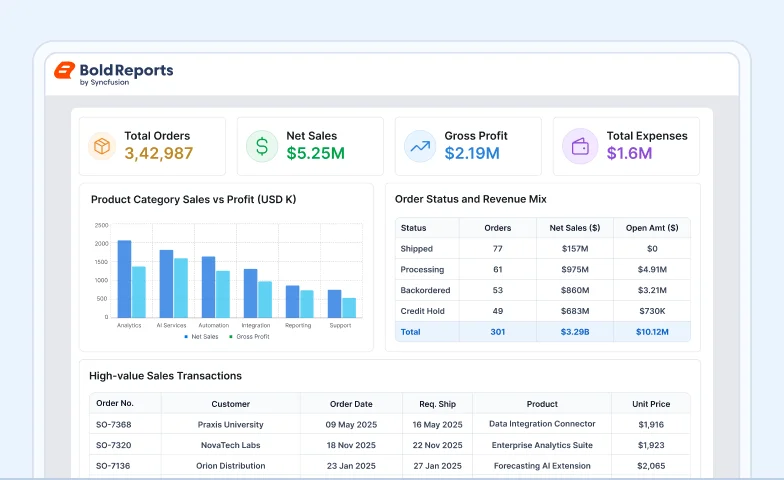
Sales Analysis Report
Explore sales data to identify trends and performance drivers.
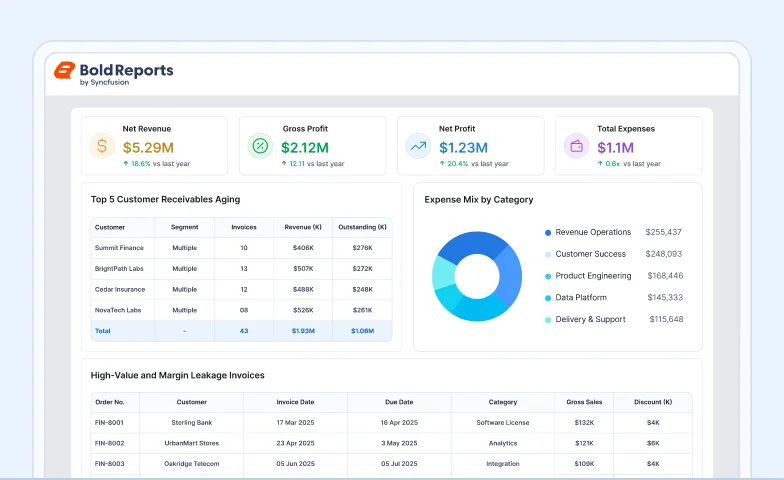
Finance Analysis Report
Assess financial performance across revenue, costs, and profitability.
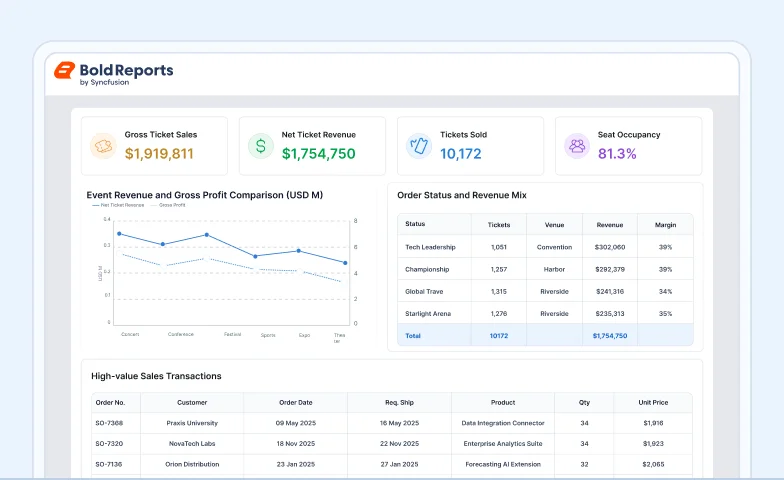
Ticket Sales Analysis Report
Analyze ticket sales, demand, events, categories, and buying patterns.
Frequently Asked Questions
Business reporting software helps organizations collect data from databases, business applications, spreadsheets, and cloud services and transform that information into structured reports. These reports support operational monitoring, financial analysis, compliance, customer communication, and executive decision-making. Modern business reporting software includes report design, data connectivity, report scheduling, security controls, and web-based report delivery.
Web reporting software allows users to create, access, and share reports through a web browser without installing desktop applications. Teams can view reports, filter data, export documents, and collaborate from any location using a centralized reporting platform.
Business reporting software focuses on creating structured, formatted reports such as invoices, financial statements, operational reports, and regulatory documents. Business intelligence platforms are typically designed for interactive analytics, visual exploration, and data discovery. Many organizations use reporting software and BI tools together to support different reporting and analytics needs.
Bold Reports provides a modern reporting platform designed for cloud, on-premises, and SaaS environments. It includes a web-based report designer, embeddable report viewer, REST APIs, scheduling capabilities, and multi-tenant architecture. Organizations can create, manage, and deliver reports from a single reporting system while supporting both business users and developers.
Yes. Bold Reports includes a drag-and-drop report designer that allows business users to create and customize reports through a visual interface. Developers can extend reporting capabilities using SDKs and REST APIs, while both groups work from the same report definitions.
Yes. Bold Reports supports connections to SQL Server, PostgreSQL, MySQL, Oracle, REST APIs, OData feeds, Excel files, CSV files, and various cloud-based data platforms. Multiple data sources can be used to build operational, financial, and analytical reports.
Yes. Reports can be scheduled for automated generation and distribution through email or centralized reporting portals. Organizations can automate recurring operational, financial, compliance, and customer-facing reports to reduce manual reporting effort.
Yes. Bold Reports includes capabilities that support SaaS reporting scenarios, including tenant-based data access, role-based security, and white-label customization. Organizations can provide secure reporting experiences for multiple customers from a centralized deployment.
Reports can be viewed through interactive web interfaces and exported to PDF, Microsoft Excel, Word, PowerPoint, CSV, and image formats. This allows teams to distribute reports in formats that best fit operational and business requirements.
Yes. Organizations can deploy Bold Reports in cloud, private cloud, or on-premises environments based on their security, compliance, and infrastructure requirements.
Yes. Bold Reports is designed for enterprise reporting use cases requiring centralized report management, role-based access control, auditability, multi-user collaboration, scheduling, and scalable report delivery across departments, customers, and business applications.
Yes. Bold Reports offers a free trial that provides access to key reporting capabilities, allowing organizations to evaluate report design, data integration, report delivery, and deployment options before purchasing.
Business reporting software helps organizations transform raw data into structured reports that support decision-making, operational visibility, financial analysis, and compliance reporting. It reduces manual effort, improves reporting consistency, and enables faster access to business insights across teams.
Online reporting software centralizes report creation, management, and distribution through a web-based environment. Teams can access reports from any location, collaborate more effectively, automate recurring reports, and reduce dependence on spreadsheets and manual reporting processes.
Yes. Web reporting software can be embedded within customer portals, SaaS products, partner applications, and enterprise systems. Users can securely access reports through a browser without requiring additional desktop software.
Stop Building Business Reports Around Your Tool's Limits
Start a free trial and embed your first report with a working SDK, not a proof-of-concept timeline.
No credit card required.