
ERP reporting software for the ERP you already run
Bold Reports is paginated reporting software that turns ERP data into the documents your business runs on, invoices, financial statements, inventory summaries, payroll registers, and operational reports.
Connects to your ERP database with read-only access. Runs on-premises, in your cloud, or in containers, in any browser, with nothing for your users to install.
Works with the ERP you already run · On-premises, your cloud, or containers · Output your finance and audit teams can sign off on
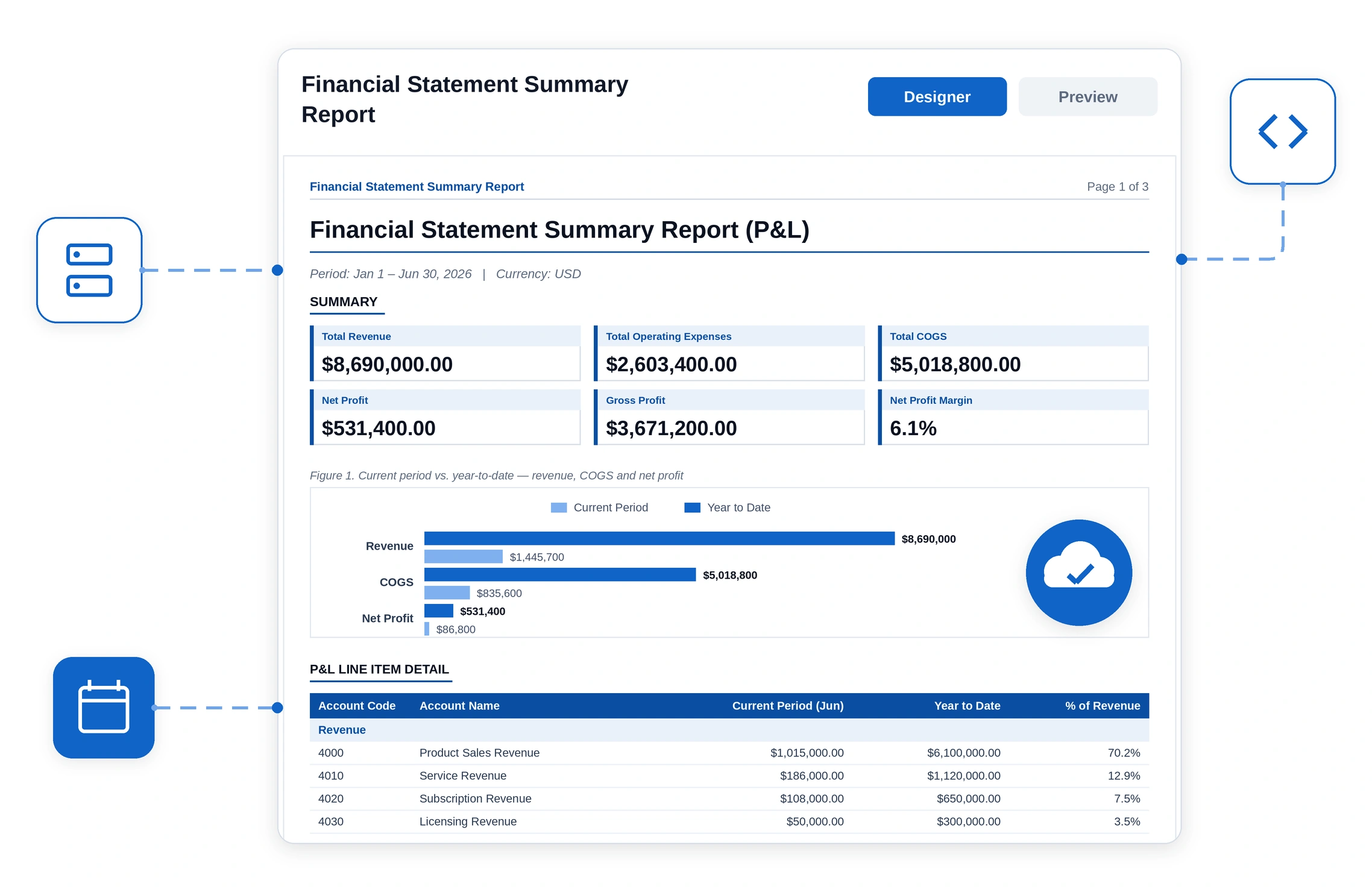
If your ERP reporting backlog is longer than your ERP roadmap, this page is for you
The challenge isn't getting data into your ERP. It's producing reliable documents, answering ad hoc reporting requests, and delivering information faster than the backlog grows.
-
You run an ERP in production and the built-in reports don't cover what the business asks for.
-
Every non-standard report becomes an IT ticket, a consultant SOW, or a spreadsheet.
-
Finance closes the month by exporting ERP data and rebuilding the same workbook every cycle.
-
Auditors ask where a number came from and the answer takes days to assemble.
-
You've grown by acquisition and now run more than one ERP or more than one chart of accounts.
-
Your reporting tool is SSRS or Crystal Reports and you know the modernization conversation is coming.
Your ERP is a system of record. It was never a reporting tool.
ERPs are built to capture transactions accurately. Turning those transactions into a document someone can sign, file, send to a customer, or hand to an auditor is a different job, and it's where most ERP investments quietly leak value.

The built-in report library stops at generic. Standard ERP reports cover the standard case. Your pricing rules, your cost centers, your regional tax formats, your customer-specific invoice layout, those are all "customization."

Every report request becomes a queue. Business users file a ticket, IT scopes it, a consultant quotes it, and a report that takes an afternoon to design takes six weeks to receive.

So the business routes around you. Data gets exported to Excel, transformed by hand, and circulated by email. Now there are four versions of the same number and no way to tell which one is right.

Month-end is a manual assembly line. The same statements are rebuilt every cycle from the same exports, by the same two people, under the same deadline pressure.

Pixel-perfect output is non-negotiable and unforgiving. An invoice, a payslip, or a statutory filing has to land on the page exactly right. Dashboard software cannot produce it, and a spreadsheet print-out won't survive an audit.

Consultant dependency compounds. Reports built by an implementation partner are hard to change without going back to the partner, so the cost never ends and institutional knowledge never lands in-house.
From ERP data to a delivered document, in five stages
This is the full lifecycle, what happens once, what happens every cycle, and who owns each step.
Connect to your ERP data
Point Bold Reports at the databases behind your ERP using a read-only account, so reporting can't alter a transaction. Combine ERP data with CRM, payroll, spreadsheets and your warehouse into one unified report.
Design the report
Build the layout in a drag-and-drop designer that runs in the browser. Create tables, matrices, grouped headers, conditional formatting and print-ready reports.
Review, approve & publish
Publish the report as a governed reusable definition. Every design change is versioned automatically, making every update reversible.
Automate & Deliver
Schedule reports, export to PDF, Excel, Word, HTML and CSV, and automatically deliver personalized reports to users.
Govern, Audit & Evolve
Manage permissions, monitor audit logs, and evolve reports through complete version history without rebuilding them.
The reports your departments keep asking for
Every ERP module ends in a document. These are the ones Bold Reports is built to produce.
To be clear about what you're buying: these don't arrive as canned templates. Your invoice layout, your cost centers, your tax formats, and your approval rules are specific to your business, a vendor template wouldn't fit any of them. What Bold Reports gives you is the designer, the automation, and the governance to build each report once, against your own ERP data, and then run it on a schedule from then on. The report definitions are yours.
Connects to the ERP
Bold Reports reports on your ERP's data rather than replacing any part of your ERP.
Presto and Trino via Bold Data Hub. Heavy month-end reports can run against a replica or warehouse instead of your production ERP.
Commercial ERP suites, industry-specific ERPs, in-house systems, and custom modules, anywhere the data is reachable through one of the connections above.

Bold Reports
Read-only.
Designs,
schedules, and
governs every
report definition.
Point Bold Reports at your ERP with a read-only database account and reporting cannot alter a transaction.
Fewer report tickets. Not looser control.
The ERP reporting backlog exists because most setups have only two settings: IT builds everything, or everyone exports to Excel. The fix isn't self-service for its own sake, on ERP data, nobody wants that. It's moving the line to a different place and drawing it explicitly.
Any entitled user, no ticket required
- Run any report they have rights to, on demand.
- Set parameters, period, branch, legal entity, cost center, customer, employee.
- Export to PDF, Excel, Word, or CSV themselves.
- Subscribe to a schedule and receive it by email.
A trained report author, inside your own report library
- Adapt a report your team has already built and approved, add a field, change a grouping, adjust a layout.
- Build new operational and management reports for their own department.
- Submit changes for approval rather than publishing directly.
The library is yours. Bold Reports ships the designer and the governance, not the reports, your first authors build the initial set for each department, and it compounds from there. Every report after the first is a copy-and-adapt, not a rebuild.
IT, finance, and audit, always
- Which data sources exist and what each one exposes.
- Row- and role-level access to ERP data.
- Who can view, author, publish, or only run.
- Your approved report library, its versioning, and its audit logs.
The locked document class, invoices, payslips, statutory filings, and anything a customer or regulator receives. These should never be editable by the people who consume them, and Bold Reports lets you keep them that way.
-
Skill level, honestly: running, filtering, exporting, and subscribing need no technical skill.
-
Designing a paginated report from scratch does, it involves data sets, groups, and expressions, so it lands with a small number of trained report authors rather than with every finance user. That's what clears the backlog, not universal self-service.
Reporting has to live where your ERP already lives
Most ERP teams don't get to choose their deployment model, the ERP, the data-residency policy, or the auditor chose it years ago. This is where a lot of reporting tools get disqualified before the feature comparison even starts.

On-premises
Run entirely inside your network for data residency, sovereignty requirements, and air-gapped environments.
SSRS can do this too, but only on Windows.

Your cloud
Deploy in your own tenancy alongside the rest of your application estate, rather than in a vendor's.
Most SaaS BI tools cannot.

Containerized
Docker and Kubernetes, so reporting scales, deploys, and updates like everything else you run.

Browser-based for users
Any modern browser. No client install, no plugin, no desktop dependency, no per-seat software for IT to push.
Same report definitions across all four. Move from on-premises to your cloud later and the reports come with you.
"Where did this number come from?"
This is the question that costs ERP teams days, and it's the one place where reporting governance is a genuine business problem rather than a procurement checkbox. Every report Bold Reports runs carries its own answer.
-
Version History — Every design change is saved automatically, with autodraft, so you can view, track, and restore any previous version of a report. Design work is never lost and a bad change is always reversible.
-
Audit Logs — Run, view, and export tracked as separate events, plus a Login Activity view with IP address detail.
-
Data lineage — Trace a figure on the page back to the ERP field it came from.
-
Role-based access control — Aligned to the roles and directory you already maintain, so reporting permissions don't become a second thing to administer.
-
Read-only connections — Grant a read-only account and reporting cannot alter a transaction.
One thing to plan for: Version History covers the report design, not the rendered output, there's no cache of past documents. Re-running last quarter's version against today's data gives you today's numbers. So the document an auditor wants is the one you already delivered: schedule statutory and customer-facing reports to a file share or mailbox and retain those PDFs. That's your archive of record, and the audit logs show exactly who ran and exported each one.
You didn't choose Crystal Reports. Your ERP did.
If your reports are in Crystal or SSRS, that's usually not a decision anyone on your team made. Crystal shipped as the report writer inside a generation of mid-market ERP suites. SSRS is the reporting engine for anything ERP built on SQL Server. You inherited the engine along with the ERP, and then built a decade of business-critical documents on top of it.
That's why this is the hardest part of an ERP reporting decision. It isn't a preference. It's several hundred report definitions, often built by your implementation partner, often undocumented, and they produce the invoices and filings the business legally runs on. You can't abandon them and you can't rebuild them all by hand.
-
An ERP version upgrade where the old report engine isn't supported on the new version.
-
An ERP replacement or consolidation, the reports don't transfer to the new vendor.
-
Moving the ERP to cloud or SaaS, which breaks on-premises report tooling.
-
Crystal Reports reaching end of life, or SSRS reaching the end of its roadmap (SSRS 2022 is Microsoft's final release).
Three paths, depending on where your reports are today
Most teams don't start from the same place. Some already have SSRS, others are carrying years of Crystal Reports, and many are still relying on recurring spreadsheets. The right path depends on what you're running today, not what you'd choose if you were starting from scratch.
On SSRS
Bold Reports is RDL-native and uses the same XML schema, so RDL and RDLC files run as they are. PowerShell templates and REST APIs handle bulk migration for large libraries.
On spreadsheets
Rebuild the recurring workbook as a report and let it generate itself every period. Parameters replace the copy-paste-per-entity pattern, and the output becomes versioned and traceable.
On Crystal Reports
A converter utility reads .rpt files, one at a time or a whole directory, and generates equivalent RDL. It won't catch everything, we'll show you exactly what converts and what doesn't, and our team helps you through the migration as part of onboarding, at no charge. Unlike what you're leaving behind, the converter is also still under active development.
This is not another ERP implementation
You've been through an ERP rollout. This isn't one. Reporting goes live in four steps, each with its own exit test, and you can stop after any of them and still be better off than you are today.
Prove it on one report
Connect one ERP data source and rebuild the report that matters most, usually the invoice or the monthly statement.
Exit test: output matches your current document side by side.
Automate one cycle
Take one recurring process end to end, schedule it, parameterize it, deliver it, and let it run a full period unattended.
Exit test: the cycle completes with no manual assembly.
Hand over the first department
Train the report authors in the department with the loudest backlog and publish the first set of approved reports they can adapt from.
Exit test: that department's next report request doesn't come to IT.
Standardize and expand
Set the governance model, naming, approval, access, retention, then queue the next departments.
Exit test: a repeatable pattern instead of a project.
The reports your departments keep asking for
Every ERP module ends in a document. These are the ones Bold Reports is built to produce.
| Built-in ERP reports | BI / dashboard tools | Consultant-built reports | Spreadsheets | Bold Reports | |
|---|---|---|---|---|---|
| Pixel-perfect documents | Standard layouts only | Not the design goal | Yes, if scoped | Fragile | Core capability |
| Change a report yourself | Usually customization | Yes, for dashboards | Back to the partner | Yes, uncontrolled | Yes, your own trained authors |
| Scheduled, unattended delivery | Varies by ERP | Varies | Custom build | Manual | Yes |
| Governance and audit trail | Tied to ERP roles | Varies | Depends on build | None | Central, versioned, logged |
| Combine ERP with other sources | Rarely | Yes | Custom build | By hand | Yes |
| Cost of the next report | Change request | Not the right tool | New SOW | Someone's weekend | Internal effort |
| Cost of the next 500 report readers | Tied to ERP licensing | Commonly per user or per seat | Not applicable | Per Office licence | No per-viewer seat |
| Actively developed | Follows the ERP | Yes | Not applicable | Yes | Yes, current release |
| Deployment control | Follows the ERP | Usually vendor cloud | Varies | Local | On-prem, cloud, container |
What the status quo actually costs
Most ERP reporting spend is invisible because it's distributed across salaries, consultant invoices, and overtime.
Teams have already done this
85%
cut in report development time
600+
SSRS reports migrated
Thousands
of Crystal Reports migrated
BrainTree (ERP / database) replaced Crystal Reports with Bold Reports to simplify a cloud ERP deployment, migrating thousands of reports and moving to no-code report building.
"Can we get off Crystal at our scale?"
BrainTree — thousands of Crystal reports, cloud ERP
"Can we get off SSRS at our scale?"
SI&T — 600+ SSRS reports migrated to .NET Core
"Will it actually reduce our backlog?"
HeiTech Padu Bhd — report development cut 85%, billing accuracy improved
"Is the payback real?"
Sullivan IT Solutions — replaced an SSRS portal, immediate ROI
The reports your ERP teams rely on every day
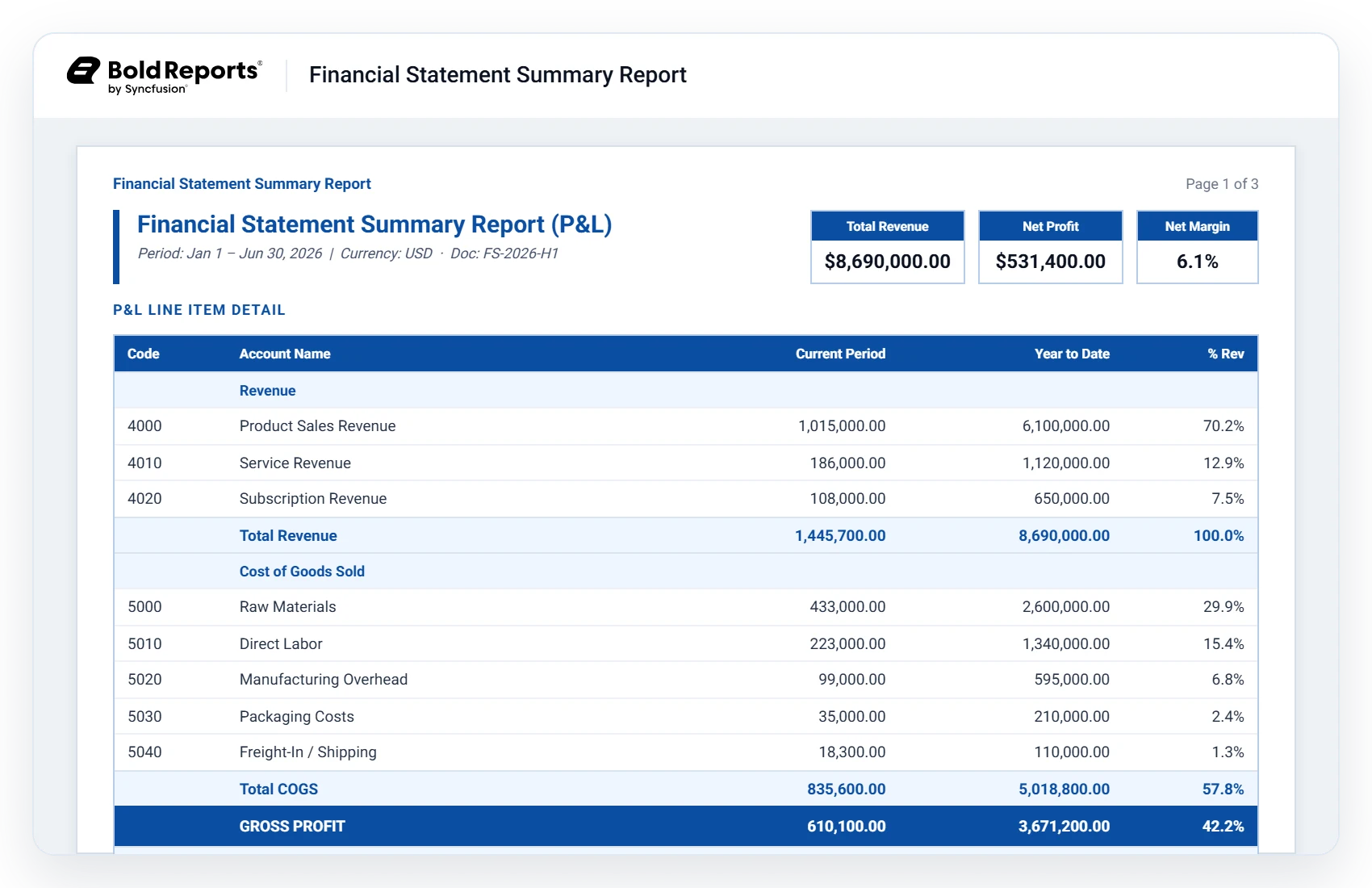
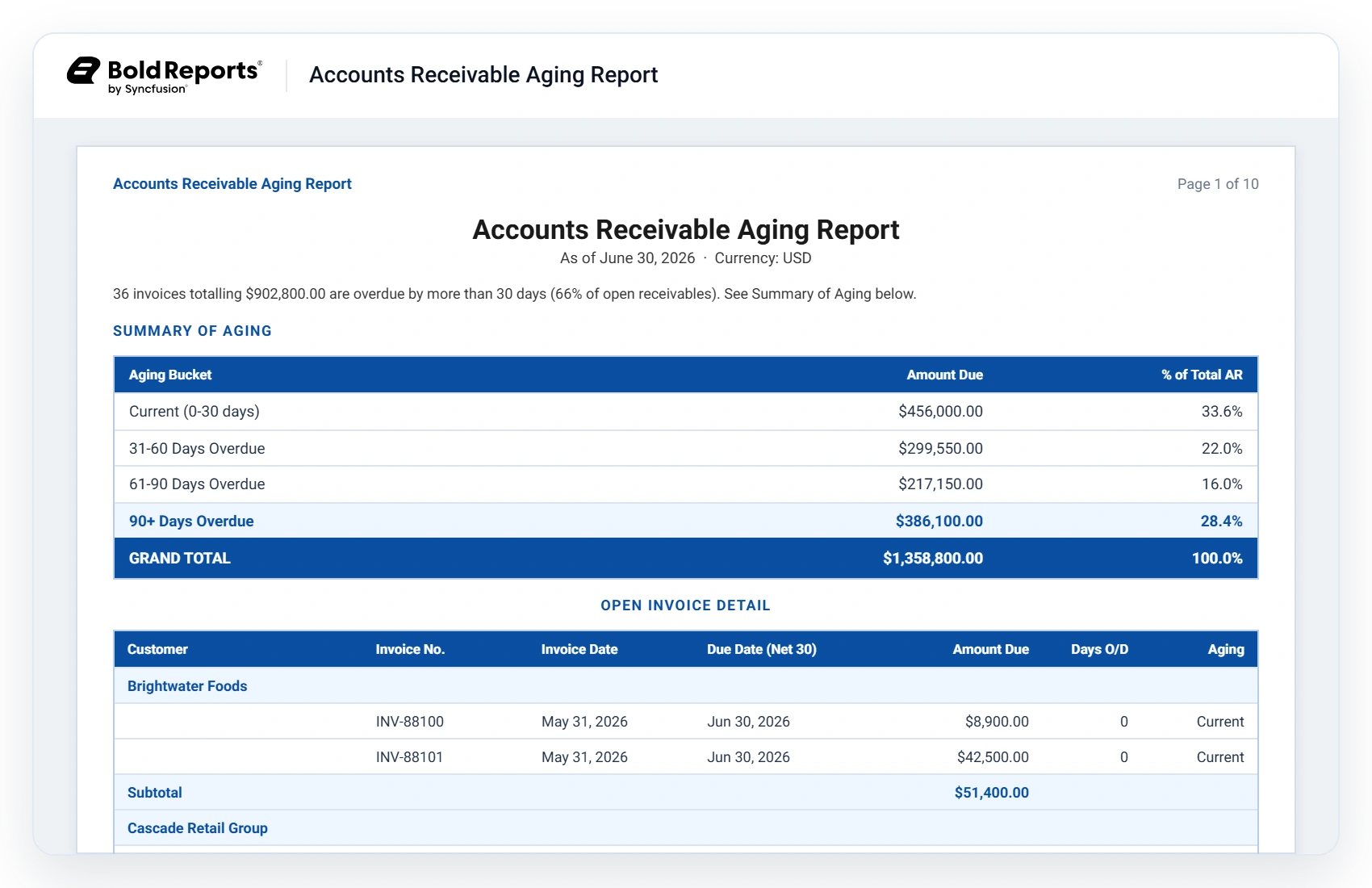
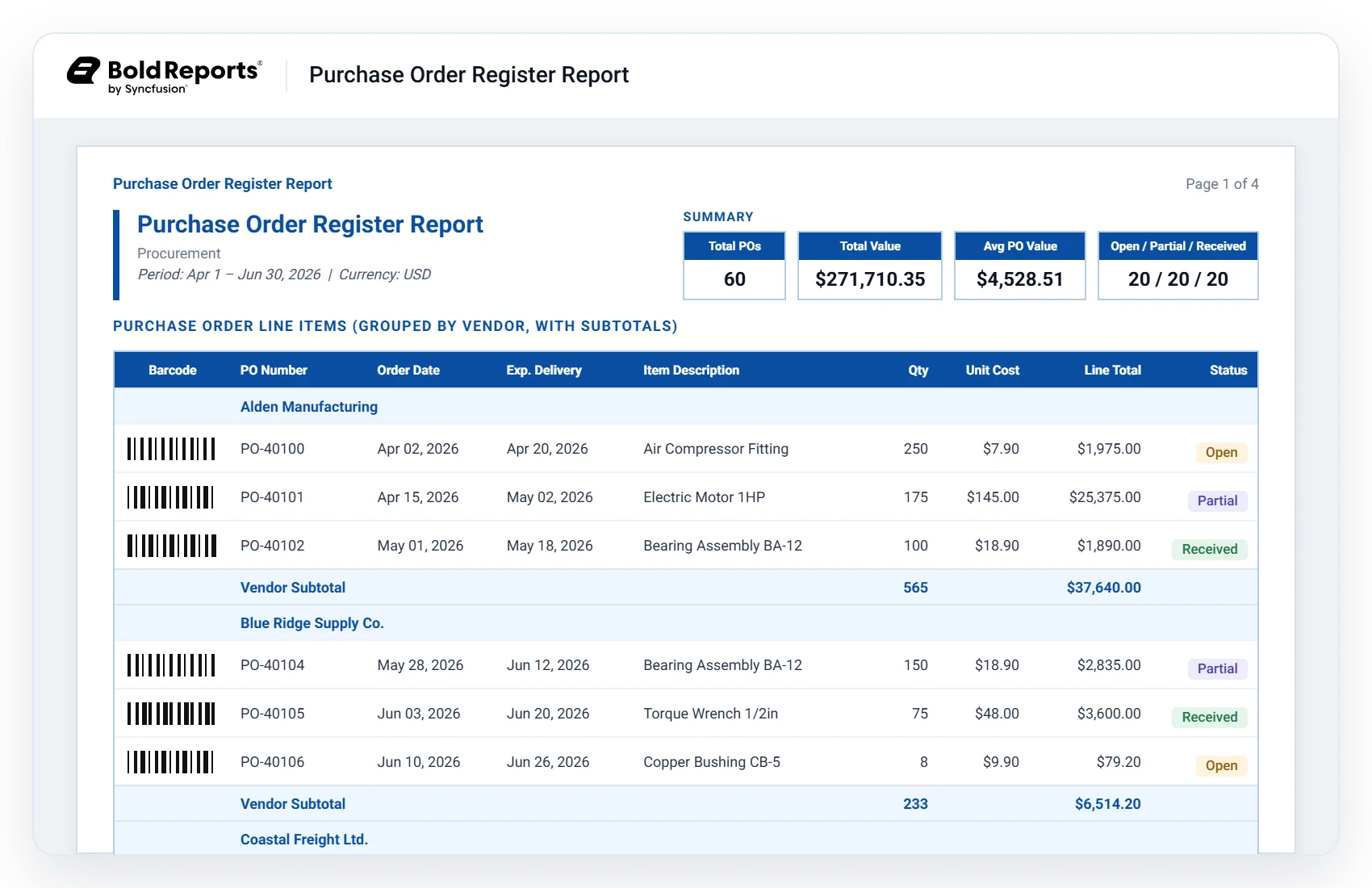
Every ERP workflow eventually ends in a document. Whether it's tracking cash flow, monitoring receivables, or managing procurement, Bold Reports helps teams turn ERP data into accurate, automated, and audit-ready reports.
ERP reporting questions buyers ask us
ERP reporting software turns the data held in an ERP system into the structured, print-ready documents a business runs on, invoices, financial statements, inventory summaries, payroll registers, and compliance filings, and delivers them on a schedule or on demand. It differs from BI dashboards, which are built for interactive exploration rather than fixed-layout documents.
Built-in reports cover standard scenarios in standard layouts. Bold Reports gives you a full designer, so non-standard layouts, custom calculations, multi-source reports, and per-entity variations become configuration rather than an ERP customization project.
Dashboards are for exploring trends on a screen. This is for producing documents, paginated, pixel-controlled, print- and PDF-accurate output that a customer receives or an auditor accepts. Most organizations end up needing both, for different jobs.
Yes, if its data is reachable one of two ways: the database underneath it, Microsoft SQL, Oracle, PostgreSQL, MySQL, MariaDB, MongoDB, Amazon Aurora, Amazon RDS, Google Cloud SQL and more, or a warehouse or reporting replica you already load ERP data into, including Snowflake, BigQuery, Redshift, and Azure SQL Data Warehouse. Bold Reports reports on ERP data rather than integrating with a specific ERP brand, so commercial suites, industry-specific ERPs, in-house systems, and custom modules all work the same way.
That depends on where you point it, which is under your control. Run heavy month-end reports against a replica or warehouse rather than your production database, and schedule large batches off-peak. A read-only account also means reporting can never alter a transaction.
Running, filtering, exporting, and subscribing need none. Designing a paginated report from scratch does, it involves data sets, groups, and expressions, so it lands with a small number of trained report authors rather than with every finance user. Complex data modeling still benefits from IT involvement.
Yes, inside your own network including air-gapped environments, in your own cloud, or in containers via Docker and Kubernetes. Not Windows-only. The same report definitions run across every deployment model, so moving later doesn't mean rebuilding.
PDF, Excel, Word, PowerPoint, CSV, XML, and HTML, on demand, or as scheduled deliveries by email or to a file share. Exported PDF, Word, Excel, and PowerPoint files can also be password-encrypted, which matters when you're emailing payslips or customer statements.
Both, by different routes. SSRS RDL and RDLC files run natively, same XML schema, no conversion step. Crystal .rpt files need converting first: a bulk converter utility generates RDL from them, and you review the output afterwards. Budget a validation pass either way for reports with custom code.
The first proof point is fast: connect one data source and rebuild one document that matters, usually the invoice or the monthly statement. From there it's automate one cycle, then hand over the first department. We'd rather scope that against your actual report library on a call than quote a number that won't fit your environment.
Three editions, Cloud, Managed Private Cloud, and On-Premises, all with the same capabilities, priced by custom quote in USD. For an ERP rollout the important part is what isn't counted: no per-developer fee, no per-viewer or named-user seat, no per-tenant fee, and no usage or capacity overage. The people who receive an invoice, a payslip, or a branch report aren't licensed as users.
A 30-day free trial, no credit card required, plus a 30-day money-back guarantee.
Support comes with every edition, with published SLAs for the Cloud and On-Premises deployments. Crystal Reports and SSRS migration assistance is part of onboarding at no charge, it isn't a separate services engagement. Product documentation and a searchable knowledge base are public, so your team can self-serve before and after rollout.
Bring us your hardest report
Book a demo and we'll walk through the report your team is currently rebuilding by hand, your layout, your data, your close cycle. Or start a trial and try it yourself.
30-day free trial · No credit card required · 30-day money-back guarantee